A Complete Guide to Creating a High-Performance WooCommerce Store
When it comes to building an online store in 2024, WooCommerce is one of the most popular platforms available. As the eCommerce landscape evolves, businesses must adapt and optimize their online stores to stay competitive. Whether you’re a seasoned developer or just getting started, focusing on the best WooCommerce web design and development practices is essential for delivering a seamless shopping experience and increasing conversions. In this blog post, we’ll explore the best WooCommerce web design and development tips that will help you create a stunning and high-performing online store. These tips include everything from choosing the right theme to enhancing the user experience, optimizing for mobile, and integrating the latest technologies. Let’s dive in.
1. Choose the Right Theme for Your WooCommerce Store
The foundation of any great online store is its theme. A well-chosen theme not only makes your store look professional but also ensures it performs well. When selecting a theme for your WooCommerce store, consider the following:
- Responsive Design: Ensure the theme is fully responsive and works seamlessly across all devices, from desktops to smartphones.
- Speed Optimized: A slow-loading site can harm both your SEO rankings and user experience. Choose a theme that is lightweight and optimized for speed.
- Compatibility with WooCommerce: Not all themes are designed with WooCommerce in mind. Make sure the theme you choose supports all the core WooCommerce features.
- Customization Options: Your theme should allow for easy customization to fit your brand’s identity. Look for themes that offer flexible design options like color palettes, typography settings, and custom headers.
At Hiya Digital, we specialize in creating custom WooCommerce themes tailored to your specific business needs. If you’re unsure which theme to choose, our experts can help you make an informed decision. 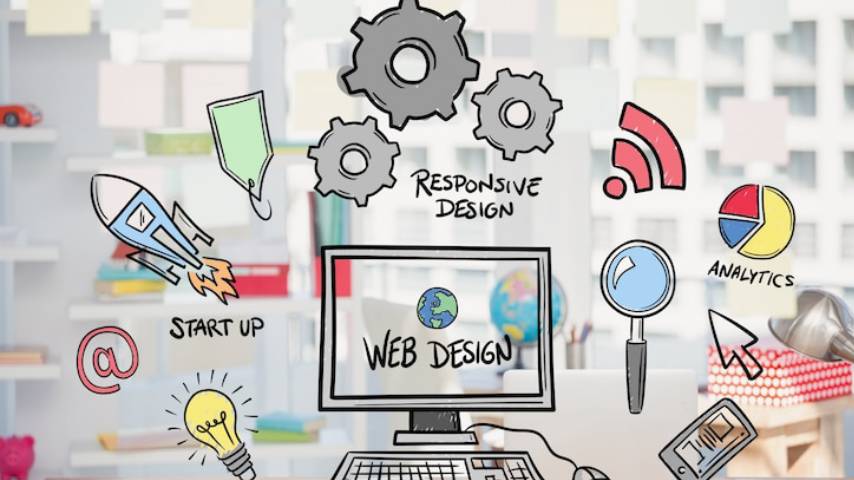
2. Focus on User Experience (UX)
User experience (UX) is critical when it comes to eCommerce. An intuitive, easy-to-navigate site will keep customers happy and increase the likelihood of repeat purchases. Here are some UX-focused design tips:
- Simplified Navigation: Ensure that your website navigation is clear and straightforward. Use categories and subcategories to help users find what they need quickly.
- Optimized Product Pages: Product pages should include high-quality images, detailed descriptions, and clear calls to action (CTAs). Incorporate features like Zoom, 360-degree views, and videos to showcase your products in the best light.
- Fast Checkout Process: A lengthy checkout process can deter customers from completing their purchases. Simplify the process by reducing the number of steps required to finalize a transaction.
- Search Functionality: Include an advanced search feature with filters that help customers quickly find the products they are looking for.
3. Mobile Optimization Is a Must
In 2024, mobile optimization is no longer optional; it’s a necessity. More consumers are shopping on their mobile devices than ever before. To provide the best WooCommerce web design and development experience, your online store must be fully optimized for mobile.
- Responsive Design: As mentioned earlier, responsive design ensures your website looks great on any screen size. Mobile users should have an experience that is just as seamless as desktop users.
- Touch-Friendly Navigation: Mobile users interact with websites differently, so make sure your buttons, menus, and product images are touch-friendly. Larger buttons and easy-to-access menus are crucial.
- Speed Optimization: Mobile users expect fast-loading pages. Use tools like Google PageSpeed Insights to identify and fix any issues that might be slowing down your site on mobile devices.
4. Speed Optimization and Performance Tuning
Website speed is one of the most critical factors that affect user experience, bounce rates, and SEO rankings. To ensure the best WooCommerce web design and development, you must optimize your website’s performance.
- Image Optimization: Large images can slow down your website significantly. Use image compression tools and modern formats like WebP to reduce file sizes without compromising quality.
- Leverage Caching: Implement caching mechanisms to speed up the loading of repeat visits. Caching stores static elements of your site, reducing the need to reload them each time a user visits.
- Use Content Delivery Networks (CDNs): CDNs distribute your website’s content across multiple servers around the world, reducing latency and speeding up page load times for visitors.
- Minify CSS, JavaScript, and HTML: Compress and remove unnecessary characters from your code to reduce file sizes and improve site speed.
At Hiya Digital, we help optimize WooCommerce stores for speed and performance, ensuring your customers enjoy a smooth shopping experience.
5. SEO Optimization for Better Visibility
Search engine optimization (SEO) plays a crucial role in attracting organic traffic to your WooCommerce store. A well-optimized store will appear higher in search engine results, driving more traffic and boosting sales.
- Keyword Research: Conduct thorough keyword research to identify the terms your customers are searching for. Optimize your product pages, descriptions, and blog content with these keywords.
- Optimized Product Descriptions: Unique, well-written product descriptions will help both users and search engines understand your offerings better. Avoid duplicate content and ensure each product page is optimized with relevant keywords.
- Meta Tags and Schema Markup: Use schema markup to improve your product pages’ visibility in search results. This includes product ratings, prices, and availability. Meta titles and descriptions should also be optimized for better click-through rates (CTR).
- Optimizing Site Structure: A clear, logical site structure helps both users and search engines navigate your store easily. Use clean URLs, a logical category hierarchy, and breadcrumb navigation.
6. Implement Secure Payment Gateways
When it comes to eCommerce, security is paramount. Make sure your WooCommerce store offers secure payment options to protect both your customers and your business.
- SSL Certificate: Install an SSL certificate on your website to encrypt sensitive data, such as credit card information. Google also uses SSL as a ranking factor, so it’s important for both security and SEO.
- Multiple Payment Methods: Offer a variety of payment options, such as credit cards, PayPal, Stripe, and even cryptocurrency. This flexibility makes it easier for customers to complete their purchases.
- Two-Factor Authentication (2FA): Implement two-factor authentication for additional security, especially for administrative access to your store.
7. Incorporate Reviews and Ratings
Customer reviews and ratings play a significant role in influencing purchase decisions. Incorporate review and rating features on your product pages to build trust and encourage sales.
- Easy-to-Use Review System: Ensure the review system is user-friendly, allowing customers to leave feedback with ease.
- Showcase Reviews Prominently: Display reviews prominently on product pages to help potential buyers make informed decisions.
- Respond to Reviews: Engage with your customers by responding to reviews. This shows that you value feedback and are committed to improving your service.
8. Personalization and Dynamic Content
Personalization can greatly enhance the customer experience and drive sales. By tailoring content and product recommendations to individual customers, you can increase engagement and conversion rates.
- Product Recommendations: Use AI and machine learning to offer personalized product recommendations based on a customer’s browsing history and preferences.
- Customizable User Dashboards: Allow customers to personalize their account settings, track orders, and save products they like for future purchases.
- Dynamic Content: Display dynamic content such as special offers, discounts, or exclusive deals based on the customer’s location, purchase history, or browsing behavior.
9. Integrate Social Proof and Marketing Tools
Social proof, such as customer reviews, testimonials, and influencer endorsements, can significantly influence buying behavior. To enhance your WooCommerce web design and development, consider adding the following features:
- Social Media Integration: Connect your WooCommerce store with your social media profiles to encourage social sharing and engagement. Use social proof like Facebook and Instagram feed widgets to showcase real-time customer interactions.
- Email Marketing Integration: Use email marketing tools to send automated cart abandonment reminders, promotional offers, and post-purchase emails. These tools can help retain customers and boost sales.
10. Ongoing Maintenance and Updates
Launching your WooCommerce store is just the beginning. Regular maintenance and updates are crucial to keep your site secure, perform well, and stay up to date with the latest eCommerce trends.
- Plugin Updates: Regularly update your plugins to ensure compatibility with the latest WooCommerce version. Outdated plugins can lead to security vulnerabilities and performance issues.
- Bug Fixes: Perform routine checks for broken links, missing images, or other bugs that may impact the user experience.
- Security Monitoring: Implement monitoring tools to detect and prevent security threats. Regularly back up your site to avoid data loss.
Building a successful WooCommerce store in 2024 requires more than just a great design; it involves creating an optimized, secure, and user-friendly experience for your customers. By following the best WooCommerce web design and development tips outlined above, you can ensure that your online store stands out, drives traffic, and maximizes conversions. Whether you’re starting from scratch or optimizing an existing store, these tips will help you succeed in the competitive world of eCommerce. If you need professional assistance with designing, developing, or optimizing your WooCommerce store, Hiya Digital is here to help. Our team of experts is ready to create a custom solution tailored to your unique business needs. Discover the best WooCommerce web design and development tips in 2024 to optimize your online store. From choosing the right theme to boosting mobile performance and ensuring secure transactions, these tips will help you create a high-performing and user-friendly eCommerce site.
Frequently Asked Questions about The Best WooCommerce Web Design and Development Tips in 2024
What is the best WooCommerce theme for 2024?
The best WooCommerce theme for 2024 depends on your business needs, but some top options include Astra, Flatsome, GeneratePress, and Storefront. These themes are lightweight, customizable, and optimized for speed and SEO. Astra and GeneratePress offer great flexibility with page builders, while Flatsome is known for its stunning design options. Storefront, the official WooCommerce theme, provides seamless integration and stability. Look for a theme that supports mobile responsiveness, fast loading speeds, and high customizability to enhance user experience and conversions.
How can I improve my WooCommerce store’s mobile performance?
To boost your WooCommerce store’s mobile performance, use a lightweight, mobile-responsive theme and optimize images with tools like TinyPNG. Enable lazy loading to improve speed and minimize excessive plugins. Utilize AMP (Accelerated Mobile Pages) for faster page loads. Implement caching with plugins like WP Rocket and use a CDN (Content Delivery Network) to reduce server load. Ensure a mobile-friendly checkout process with auto-fill and minimal fields. Regularly test performance using Google PageSpeed Insights and GTmetrix to make necessary improvements.
Is SEO important for my WooCommerce store?
Yes, SEO is crucial for WooCommerce stores as it drives organic traffic, improves visibility, and increases conversions. Optimize your product pages with keyword-rich titles, meta descriptions, and high-quality images. Use structured data (schema markup) to enhance search engine rankings. Improve site speed, enable SSL, and ensure mobile-friendliness for better SEO performance. Regularly update content, utilize internal linking, and build high-quality backlinks to strengthen your domain authority. A strong SEO strategy helps you stay ahead of competitors and attract more customers.
How do I secure my WooCommerce store?
To secure your WooCommerce store, use a strong hosting provider with built-in security measures. Install an SSL certificate to encrypt data and enable two-factor authentication (2FA) for logins. Regularly update WooCommerce, WordPress, themes, and plugins to fix vulnerabilities. Use a security plugin like Wordfence or Sucuri to monitor threats. Implement regular backups with services like UpdraftPlus or Jetpack. Limit login attempts and disable XML-RPC to prevent brute-force attacks. A secure WooCommerce store ensures customer trust and protects your business from cyber threats.
How can I increase conversions on my WooCommerce store?
To boost conversions, optimize your store’s UX/UI design, ensuring a seamless shopping experience. Use high-quality product images, detailed descriptions, and customer reviews to build trust. Offer discounts, limited-time offers, and free shipping to encourage purchases. Improve checkout by reducing form fields, enabling guest checkout, and offering multiple payment options. Use exit-intent popups to capture leads and retarget visitors with email marketing. Implement live chat and chatbot support for quick assistance. A/B test different elements to find what works best.
What are the best payment gateways for WooCommerce?
The best payment gateways for WooCommerce include PayPal, Stripe, Square, Authorize.Net, and WooCommerce Payments. Stripe and PayPal are widely used for their global reach and secure transactions. Square is great for businesses with both online and offline sales. Authorize.Net supports multiple payment options, including credit cards and digital wallets. WooCommerce Payments, the native solution, offers seamless integration. Choose a gateway based on transaction fees, ease of use, security features, and customer preferences to ensure a smooth checkout experience.
Why is site speed important for my WooCommerce store?
Site speed directly impacts user experience, SEO rankings, and conversion rates. A slow-loading store can increase bounce rates and reduce sales. Google prioritizes fast sites in search results, meaning a slow site could hurt your rankings. Optimize speed by using a lightweight theme, caching plugins (WP Rocket), image compression, and a CDN. Minimize HTTP requests and remove unused plugins. A fast WooCommerce store enhances customer satisfaction, keeps visitors engaged, and improves overall revenue potential.
How can I integrate reviews into my WooCommerce store?
Customer reviews build trust, boost conversions, and improve SEO. Use WooCommerce’s built-in review system or plugins like Customer Reviews for WooCommerce or YITH WooCommerce Advanced Reviews. Encourage customers to leave reviews by sending follow-up emails and offering incentives. Display reviews prominently on product pages and add rich snippets to make them visible in search results. Enable photo and video reviews for authenticity. Highlight top-rated products to drive sales and improve customer confidence.
What is the role of personalization in WooCommerce stores?
Personalization enhances customer experience, engagement, and conversions. Use AI-driven recommendations to suggest products based on browsing history and past purchases. Implement dynamic pricing and personalized discounts for repeat customers. Create targeted email campaigns and display personalized product recommendations on landing pages. Live chat and chatbot support can also improve user interactions. Personalization fosters brand loyalty, increases sales, and makes the shopping experience more relevant for each customer.
How often should I update my WooCommerce site?
You should update your WooCommerce site regularly to ensure security, performance, and compatibility. Core WordPress, WooCommerce, themes, and plugins should be updated as soon as new versions are released to prevent security vulnerabilities. Test updates in a staging environment before applying them to your live site. Regularly update product listings, content, and images to keep your store fresh. Monthly maintenance, including backups and security checks, ensures smooth operation and optimal performance.